Mobile app — the product
Players and captains. RSVP, schedule, roster, board, lineups. Designed for a phone in a hockey bag — never blocked because the “real” tool is a laptop.
Get the phone appOlympia
The phone app for beer-league teams. Two-tap RSVPs, live headcount, roster, schedule, lineups, and a board that isn't buried in group chat.
Built for ice hockey first. Captains can also use a desk console for season setup — the team still runs on phone.
The chat is not a roster
The schedule is a spreadsheet screenshot from March. Lines live in the coach's head. By puck drop nobody knows if you have a goalie. Olympia replaces that patchwork with one phone app centred on attendance.
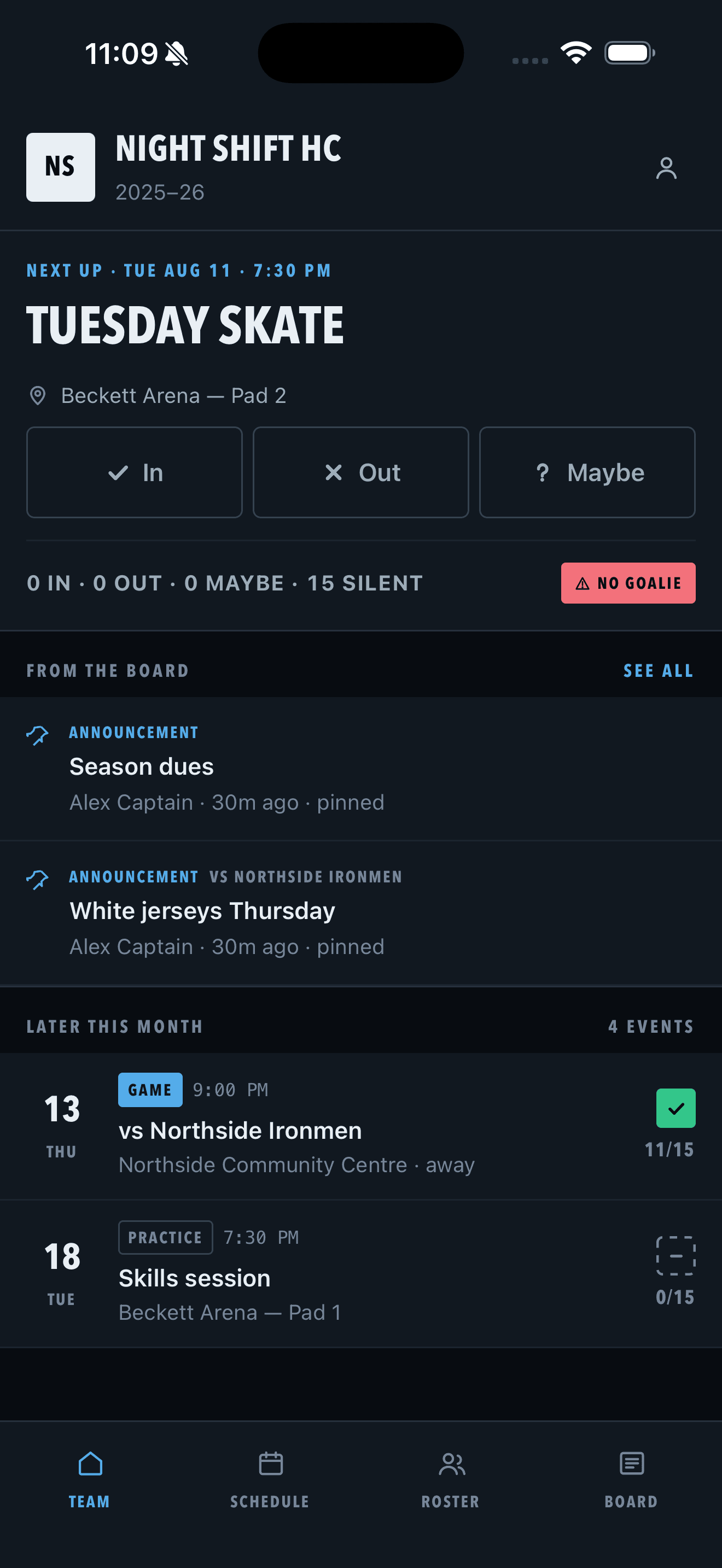
In, Out, Maybe, Silent — with live counts and position alerts like “no goalie.”
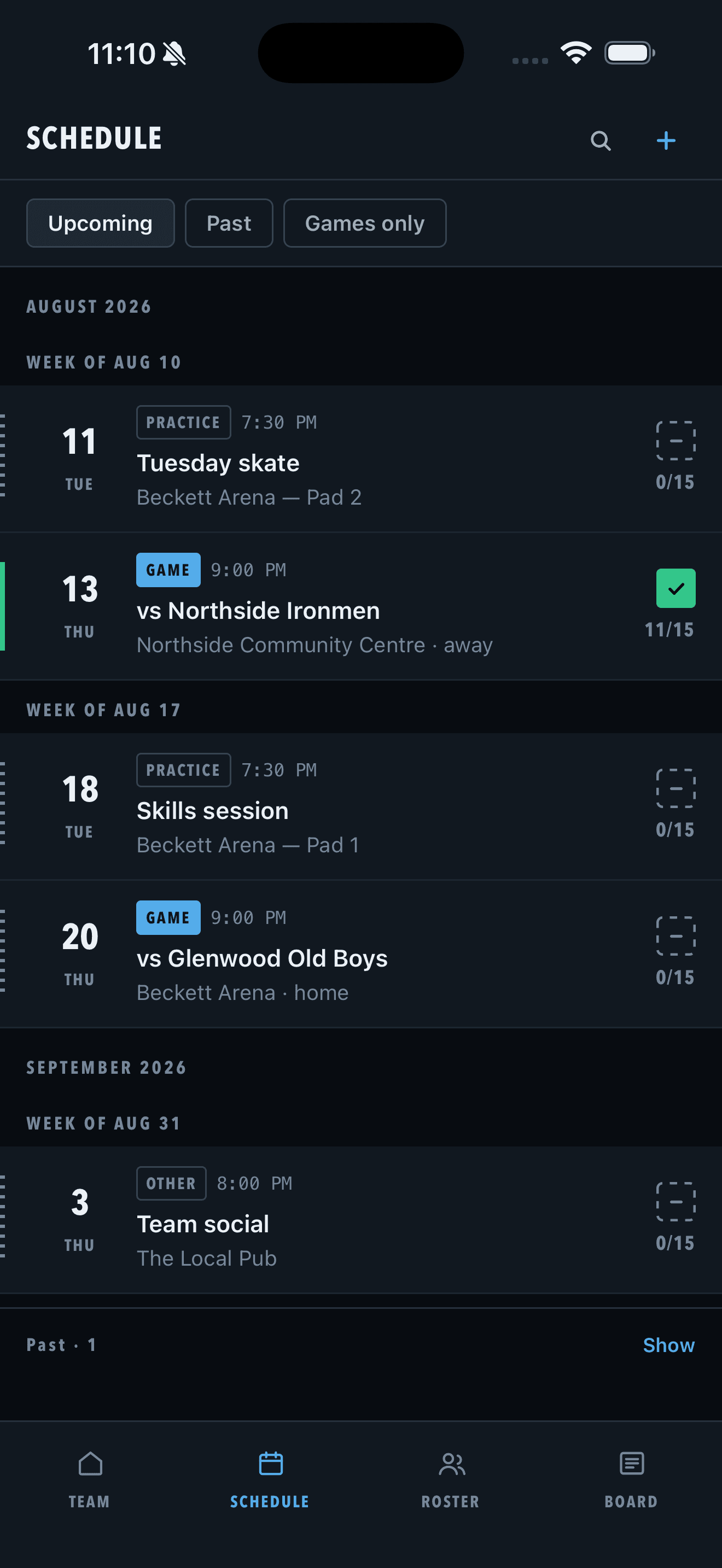
Next event on home. Full schedule by week. RSVP state on every row.
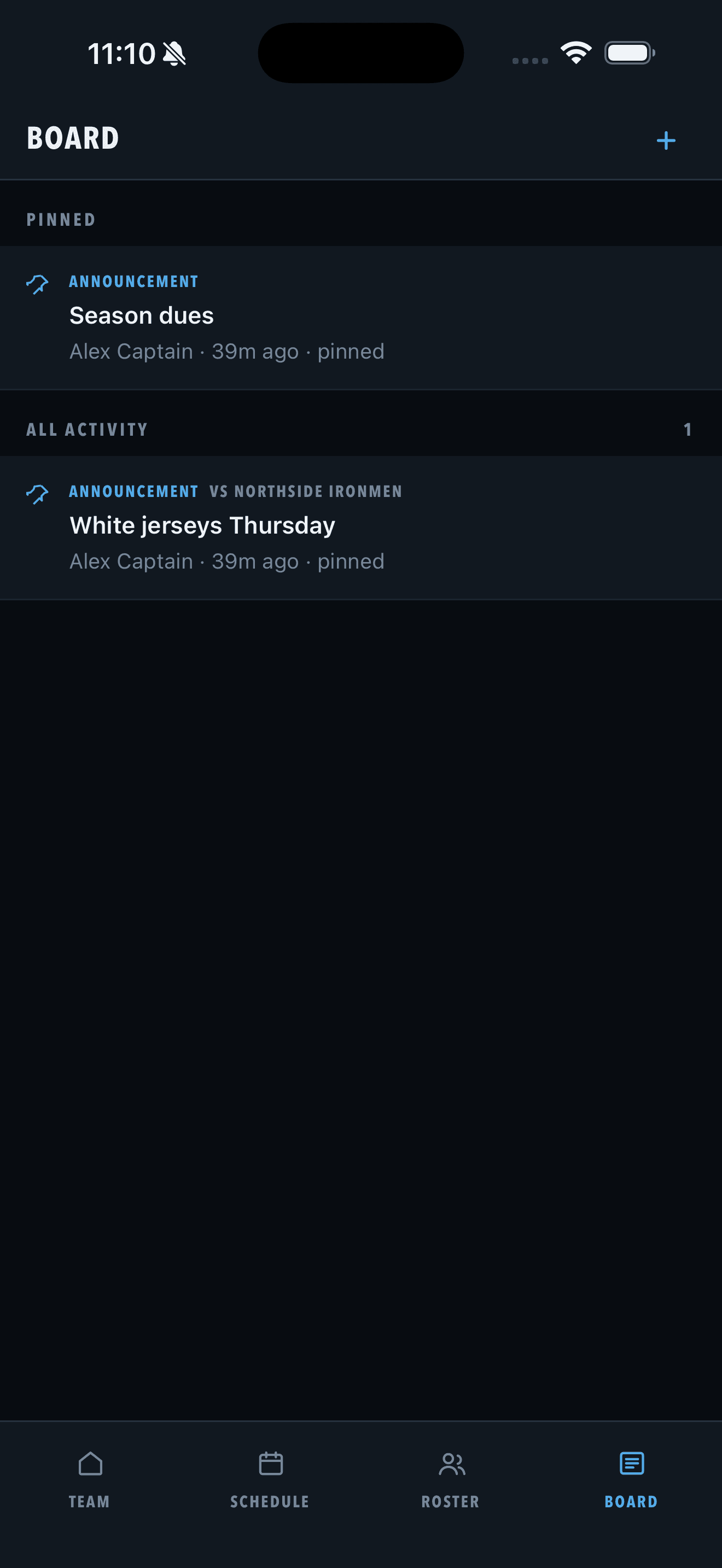
Pinned board posts and published lines — signal, not banter.
Attendance — the core loop
Players answer In / Out / Maybe from the home card — no navigation required. Captains see live tallies, silent players, and critical gaps like a missing goalie before they leave for the rink.
Schedule
Upcoming events grouped by week. Each row shows type, time, location, and your RSVP. Captains add one-off games from the phone; season building can happen at a desk when you need it.
Roster
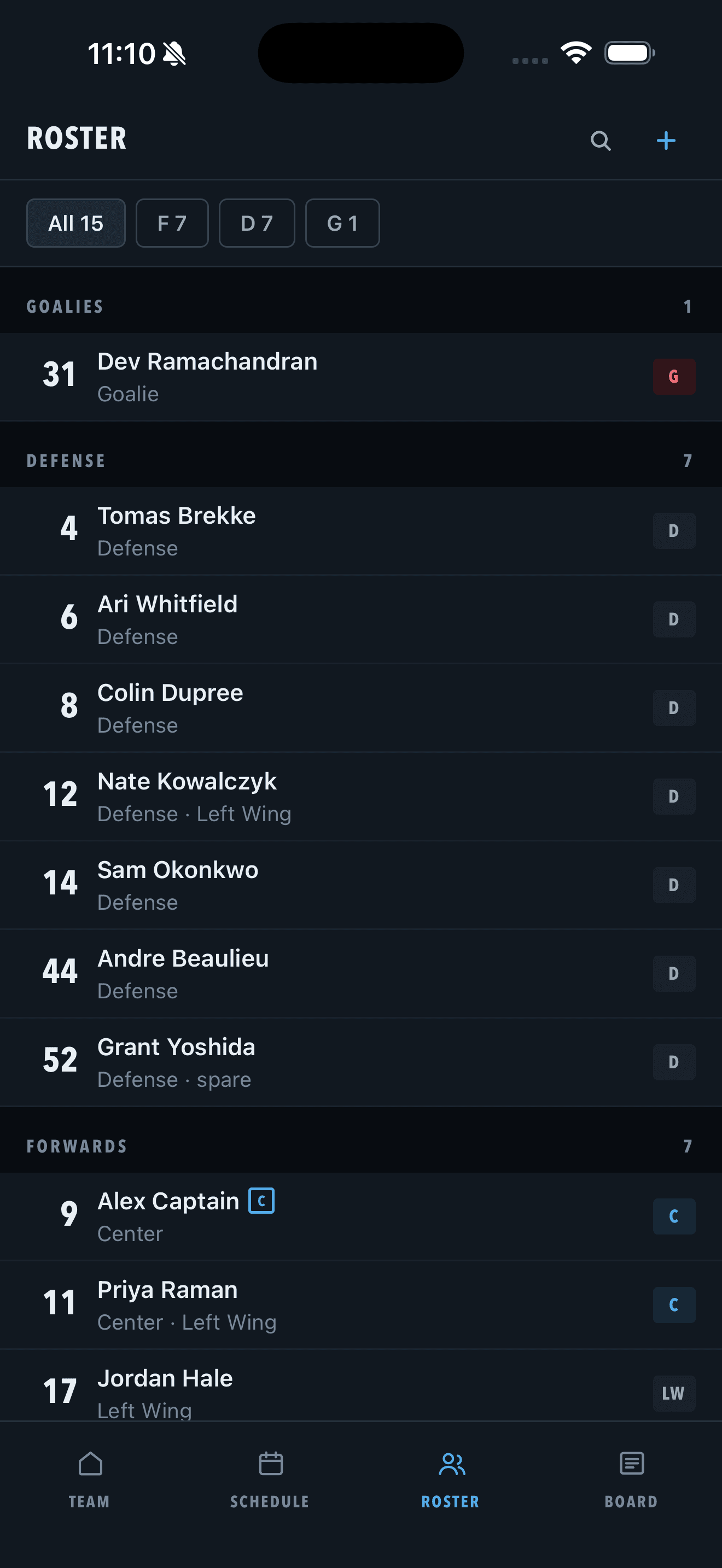
Filter by forward, defense, or goalie. Players own their jersey and positions; captains can fix anything. Invite by share link or email so new skaters land on the next game, not a 400-message thread.
Bulletin board
Captains post announcements — dues, jersey colour, parking — and pin what matters. Optional link to an event so “white jerseys Thursday” stays attached to the game.
Lineups & strategy
Tap-to-assign over the players marked In — forward lines and D-pairs from the hockey catalog. Save a draft, publish when ready. Each player gets “your line” on game detail instead of a screenshot in chat.
Only available players enter the builder — no ghost names.
Lines and pairs come from config, not hardcoded hockey UI.
Players open the event and see where they play.
For captains
Nudge silent players, set RSVPs on their behalf, publish lines, and post to the board — all on the same phone. A desk console exists for bulk roster and season work; it never blocks a captain who only has a phone.
Join the team
Share a multi-use invite link or send email. New players confirm name, jersey, and positions, land on team home, and answer the next game. Done means they RSVP'd — not that an account exists.
How it works
Step 1
Share a link or email. Players confirm jersey and positions.
Step 2
One-off from phone, or bulk at a desk when the season lands.
Step 3
Two taps from home, schedule, or a push into the event.
Step 4
Headcount, silent list, no-goalie alerts — then publish lines.
On the phone
Surfaces
Players and captains. RSVP, schedule, roster, board, lineups. Designed for a phone in a hockey bag — never blocked because the “real” tool is a laptop.
Get the phone appManagers only. Dense roster edits, schedule, attendance rollups, and bulletin compose when you have a keyboard. Same data as the phone — never a player surface.
Captain sign inTeam messaging is in MVP scope and ships after attendance, roster, schedule, and lineups — once realtime transport is decided. Game-day check-in, scorekeeping, and league standings are later, gated on league partnerships.